10 ways to use Notion for project management
- February 26, 2024
In today’s world project management requires flexibility, transparency and efficient organisation. Notion is a universal tool that combines notes, databases, calendars and collaboration features, helping professionals and teams optimise their workflows. In this article I’ll look at 10 ways to use Notion for project management, show how it helps organise tasks, track progress and work in a team, and share practical tips for maximum productivity. If you’re looking for a powerful project management solution in Notion, this article is for you!
Introduction: why is Notion perfect for project management?
Notion isn’t just a note-taking app but a full-fledged platform that adapts to your needs. Thanks to its flexibility it lets you create custom workspaces, bring teams together and manage projects of any scale. From kanban boards to calendars and task lists — Notion offers all the tools for greater efficiency. Let’s look at how to use its capabilities in practice.
1. Kanban boards for tracking progress
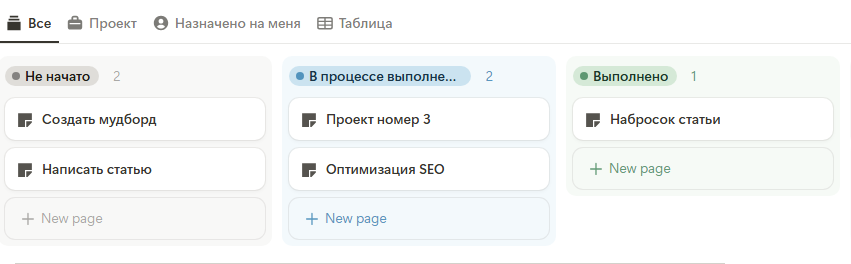
Kanban boards are a simple and visual way to visualise workflows. Notion makes it easy to create them with the database feature.
- Benefit: the team sees the status of every task in real time, which simplifies control and coordination.
- Tip: use filters and sorting to show tasks by priority or assignee.
2. Calendars for planning deadlines
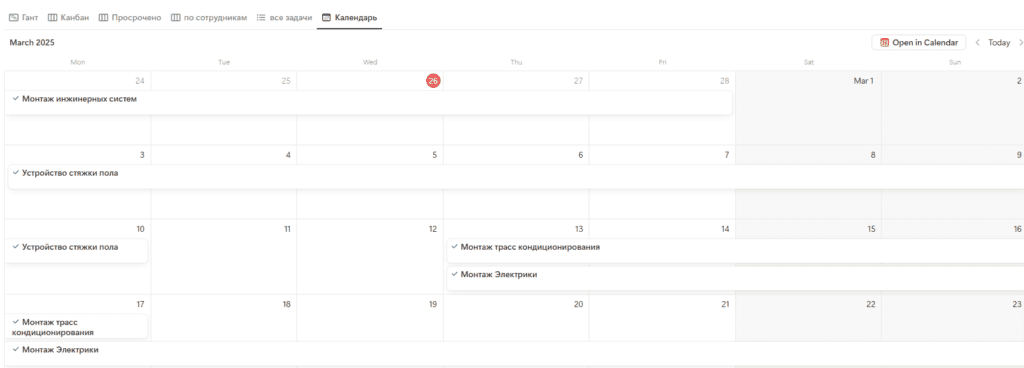
Planning is the key to a successful project, and Notion helps organise deadlines with built-in calendars.
- How to create: in the database choose the “Calendar” view and add due dates for tasks.
- Benefit: the calendar gives a clear picture of deadlines and helps avoid schedule clashes.
3. Task lists with databases
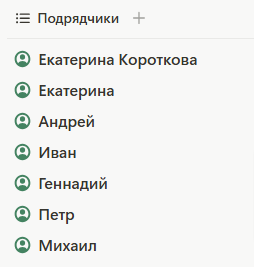
Databases in Notion are the heart of task management. They let you store all information in a structured way.
- Benefit: all tasks in one place, with quick search and editing.
- Lifehack: use the “Database” feature to create custom tables with filters and sorting by status or deadline.
4. Collaborating on projects
Notion is perfect for team work, letting you share projects with colleagues and work in real time.
- Benefit: a single space for communication and work reduces chaos and improves coordination.
- Tip: use @mentions to draw colleagues’ attention to important tasks.
5. Integrating with other tools
Notion can be connected to popular services like Slack, Trello or Google Drive to extend its capabilities.
- How to integrate: use built-in integrations or services like Zapier for automation.
- Benefit: syncing with other apps saves time and improves the workflow.
- Tip: set up automatic notifications about new tasks in Slack.
6. Custom templates for recurring projects
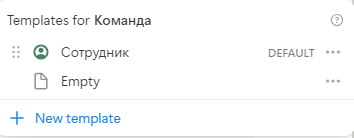
Templates in Notion help standardise work and speed up launching new projects.
- Benefit: quick project creation with a ready structure.
- Tip: add checklists for new team members to the template.
7. Tags and filters for categorisation
Organising tasks by category or priority becomes easier with tags and filters.
- How to use: add a “Label” field to the database and set up filters by status, project or urgency.
- Benefit: easy access to the right tasks without extra noise.
- Tip: use colour labels to visually highlight important tasks.
8. A project journal for analysing progress
Keeping a journal lets you record the project’s stages and analyse results.
- How to create: create a page with a chronology of events, meetings and decisions.
- Benefit: transparency of the process and the ability to learn from past projects.
- Tip: use the “Timeline” view to visualise key stages.
9. A knowledge base for documentation
Notion is great for storing documentation, manuals and resources.
- How to create: organise pages with information, add links, files and sub-pages.
- Benefit: a single repository simplifies access to materials and onboarding new employees.
- Tip: add a “Table of Contents” for large documents.
10. Extend Notion’s functionality with widgets and embeds
- Benefit: extra functions right in the workspace improve convenience.
- Tip: use a countdown widget to track deadlines.
Notion — your assistant in project management
Notion is a powerful tool that transforms project management thanks to its versatility. From creating kanban boards and calendars to organising team work and storing documentation — it offers everything you need for success. Implement these 10 ways into your processes and see how Notion can simplify your work and raise your team’s productivity.
Call to action: tell us in the comments how you use Notion for team work, or which ideas from the article inspired you to try new experiments!
FAQ
What are the main ways to run projects in Notion?
Is Notion suitable for team work on a project?
Where do I start with project management in Notion?